Every wallet, one clear view
Keep separate records for your cash, bank accounts, and digital wallets.
 Rapi.In
A LITTLE SPACE TO GET YOUR MONEY IN ORDER
From everyday spending to something worth saving for. Track your money, plan a budget, and see your progress in one place.
No account needed. Your records stay on your device.
START WITH THE EVERYDAY
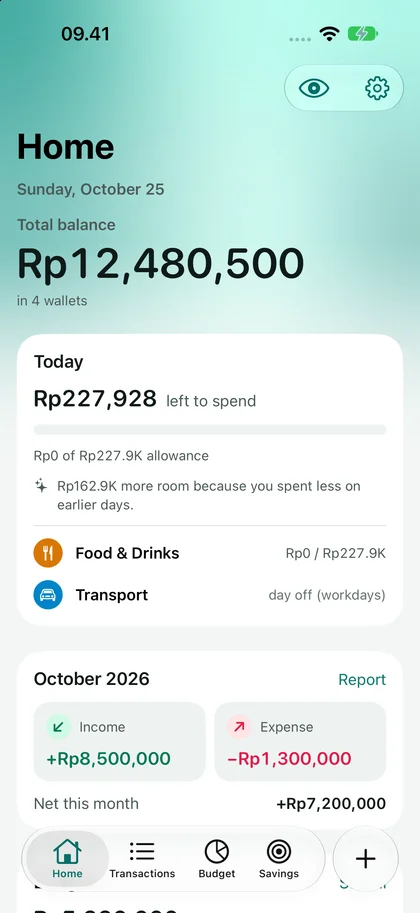
Cash, bank accounts, and digital wallets each have their place. Rapi.In helps you see the bigger picture.
Keep separate records for your cash, bank accounts, and digital wallets.
Record income, expenses, and transfers. Add categories to find what you need later.
Explore your history and financial summaries to understand your habits over time.
01 / BUDGETING
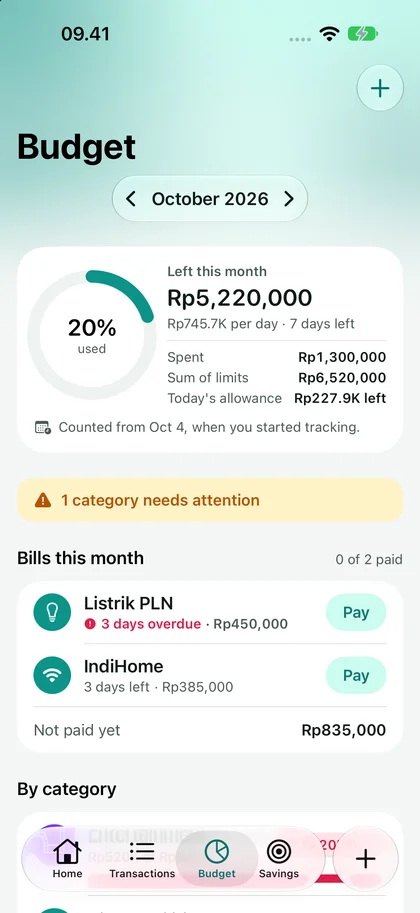
Build a budget around your life, then check what is left for today before making your next spending decision.
Plan by day, workday, week, or month. Rapi.In brings the numbers together.
02 / SAVINGS GOALS
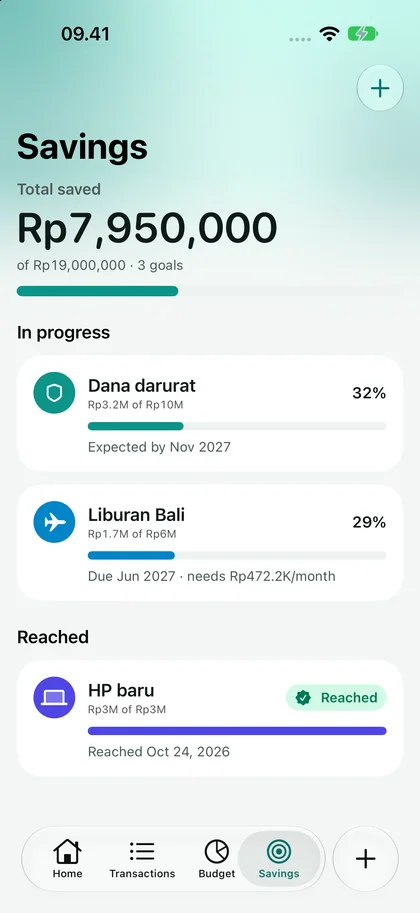
An emergency fund, a holiday, or something you have been looking forward to. Give your goal a name and see each contribution bring it closer.
Follow your progress, set a deadline, and adjust your contribution plan to fit your life.
App screenshots show sample data.
THE LITTLE THINGS THAT HELP
Set up bill schedules and local reminders. Record each payment once you have paid it.
Explore income and spending with monthly, six-month, and yearly reports.
Export transactions to CSV or make a backup to restore when moving to another iPhone.
PRIVATE FROM THE START
There is no account to create. Financial records are processed on your device, and you choose when to export or share them.
Read the privacy policyNo account is required. Transactions, wallets, budgets, savings goals, and reports work locally on your iPhone. You need internet access to visit this website, send email, or use an online sharing destination you choose.
Rapi.In is a personal record-keeping app. You enter balances and transactions yourself. The app does not automatically read bank accounts or digital wallets, make payments, or move money. A transfer entry only records a movement of money you have made.
On your old iPhone, open Settings → Export & backup → Create backup. Save the .rapiin file somewhere you can access on your new iPhone. On the new iPhone, open the same menu and choose Restore from backup. Restoring replaces existing data with the contents of the file, so check the selected file before continuing. CSV exports contain transactions and are not full backups.
ONE GOOD HABIT, EVERY DAY
Get to know your money, make room for what matters, and take your plans one step at a time.
Explore Rapi.In